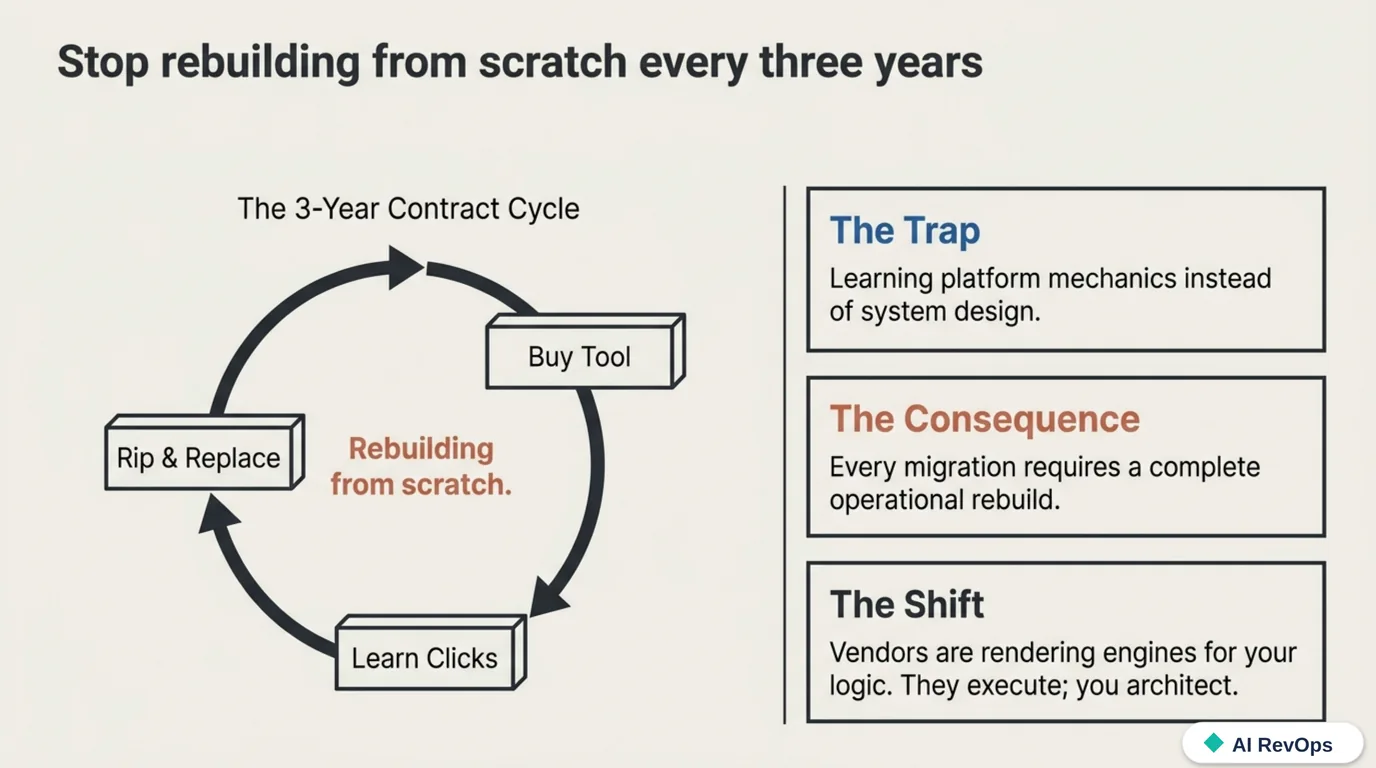
Marketing automation outlives its tools when you design it as a system: a data model feeding segments, segments feeding nurture logic, nurture logic feeding measurement, and every piece defined in terms a competing platform could also execute. Teams that skip this and learn “where to click in HubSpot” instead end up rebuilding from scratch every time they switch vendors, which on current contract cycles means every two or three years.
This course is the blueprint we build marketing automation on: each lesson builds on the one before it, and each is implementable on its own before you move to the next. The examples lean on HubSpot and Salesforce vocabulary because that’s what most teams run, but nothing here depends on either. That independence is the point: the vendor should be a rendering engine for your architecture, not the architecture itself.
The curriculum
Eight self-paced lessons, each ending with one exercise you can finish the same day. Done in order, they leave you with a working, vendor-independent automation system, and the completion checklist at the end tells you whether you got there.
- Start with the data model, not the campaigns
- Segmentation (two kinds, plus the ones that save money)
- Capture (forms are the first impression of your data quality)
- The nurture engine (event-driven, branched, and allowed to end)
- The AI automation layer (events, enrichment, and LLM steps)
- Omnichannel, without the buzzword
- Measurement (revenue in, vanity out)
- Keeping automated content human
Three templates to work along with, free and no signup: the field-schema starter (CSV) — every contact and company field this course sets up, with types and purpose; the revenue definitions one-pager for the Lesson 1 exercise; and the enrichment + scoring JSON schema for the AI step in Lesson 5. Download, fill in, keep.
Lesson 1: Start with the data model, not the campaigns
Everything downstream inherits the quality of the data model, so it comes first: before the welcome sequence, before the scoring, before anyone builds a form.
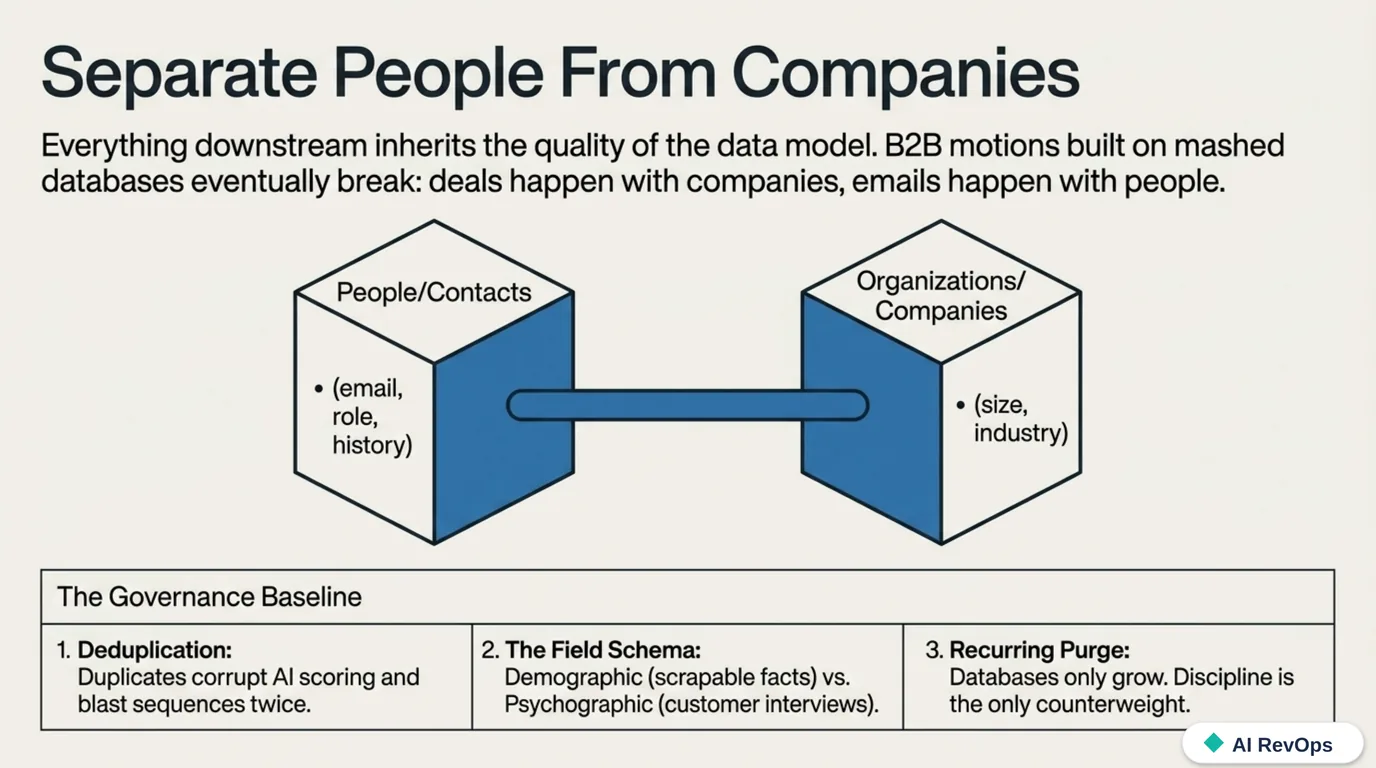
The non-negotiable structure is the separation of people from organizations. Contact records hold individuals: email, role, activity history. Company records hold the organizations those people work for, with the relationships between the two kept explicit. Every CRM supports this. A surprising number of databases still mash it together, and every B2B motion built on the mashed version eventually breaks, because deals happen with companies while emails happen with people.
On top of that skeleton sits your field schema, the attributes you’ll actually segment and route on. Two families matter:
- Demographic and firmographic fields: role, location, company size, industry. Factual, easy to collect, easy to buy or scrape.
- Psychographic fields: what the person is trying to accomplish, what’s blocking them, how they decide. These can’t be scraped. They come from customer interviews, sales-call patterns, and support tickets, distilled into personas. They stay useful only as long as you treat them as compressed research; if nobody interviewed customers to build them, they’re fiction.
Then governance, which is unglamorous and decisive:
- Deduplication on email at minimum, running automatically, because duplicates don’t just clutter reports. They cause a prospect to get two copies of your sequence, which reads as exactly the sloppiness automation is supposed to prevent. AI scoring makes this worse: a model scoring a duplicate scores it confidently.
- Consent and legal basis, tracked per contact. Beyond the regulatory exposure, mailing people without consent burns the sending domain’s reputation, and domain reputation is shared infrastructure: one bad campaign taxes every future send.
- A recurring purge. Quarterly, review disengaged and irrelevant records and either re-permission them or mark them non-marketing. Databases only grow; discipline is the only counterweight.
Do this now: Write your funnel definitions on one page (lead, qualified, opportunity, closed) and confirm people and companies are separate objects in your CRM. Then run one dedupe pass on email. Starting points: the definitions one-pager and the field-schema starter.
Lesson 2: Segmentation (two kinds, plus the ones that save money)
A segment is a claim about where someone is in their journey, and it’s only as current as its logic. The operational distinction:
| Type | How it works | Use it for |
|---|---|---|
| Dynamic | Rule-based; contacts enter and exit in real time as they meet or fail criteria | Lifecycle stages, active nurture audiences, subscriber lists |
| Static | A snapshot, frozen at creation | Event attendee lists, one-off sends, bulk operations |
Most segments should be dynamic. A “trial users, no activation event, day 3–14” segment that updates itself is automation; a static list with the same name is a to-do item that rots. Static lists earn their place only when the frozen-in-time property is the feature.
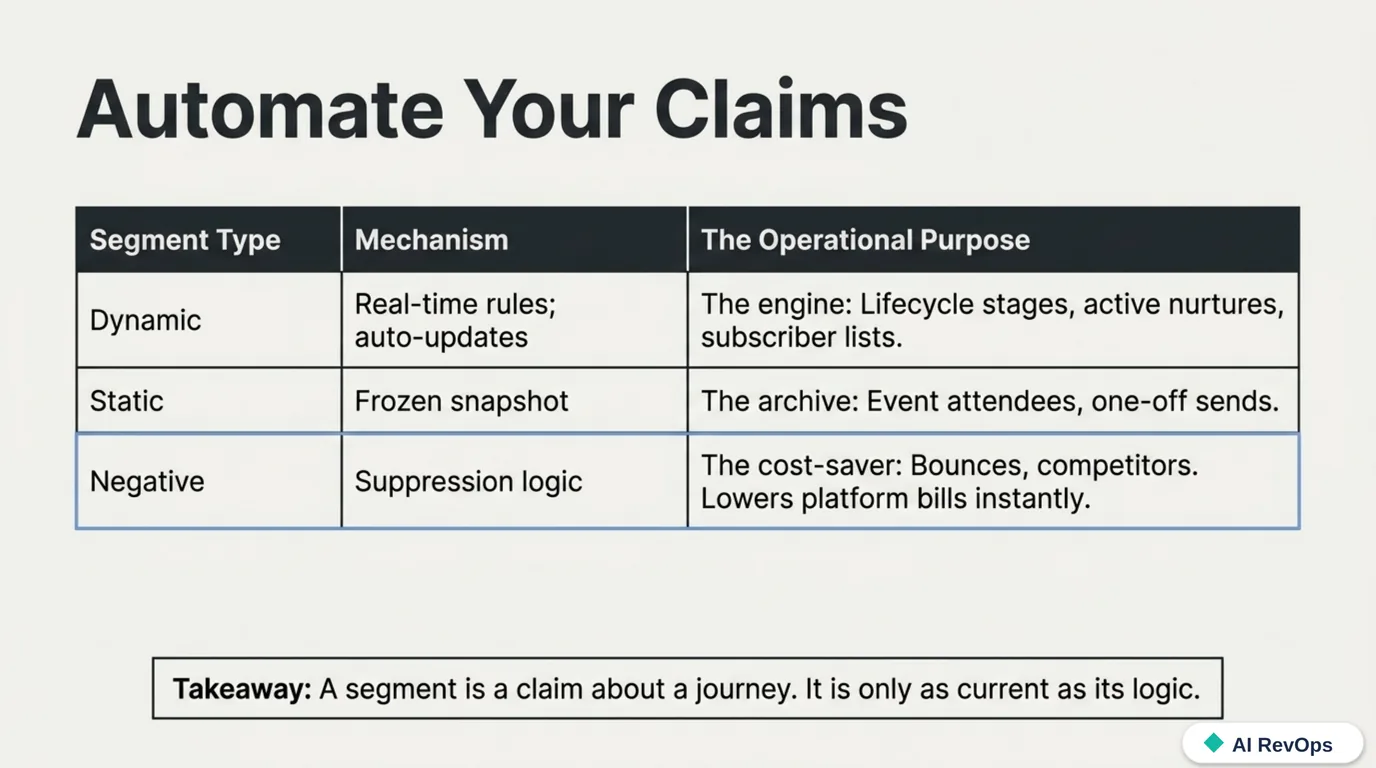
The segments teams forget are the negative ones. Suppression lists (bounced addresses, unsubscribes, competitors, free-domain signups you’ll never sell to) do two jobs. They protect deliverability by keeping dead addresses out of sends, and on platforms that bill by marketing contact (HubSpot notably), they directly cut the invoice: you pay for contacts you can market to, so marking the unmarketable as non-marketing lowers the bill immediately. On a database with years of dead addresses, it’s the rare cleanup that pays for itself the same day.
Do this now: Build one dynamic segment tied to a lifecycle stage and one suppression list (bounces, unsubscribes, competitors). If your platform bills by marketing contact, count how many records you just made non-billable.
Lesson 3: Capture (forms are the first impression of your data quality)
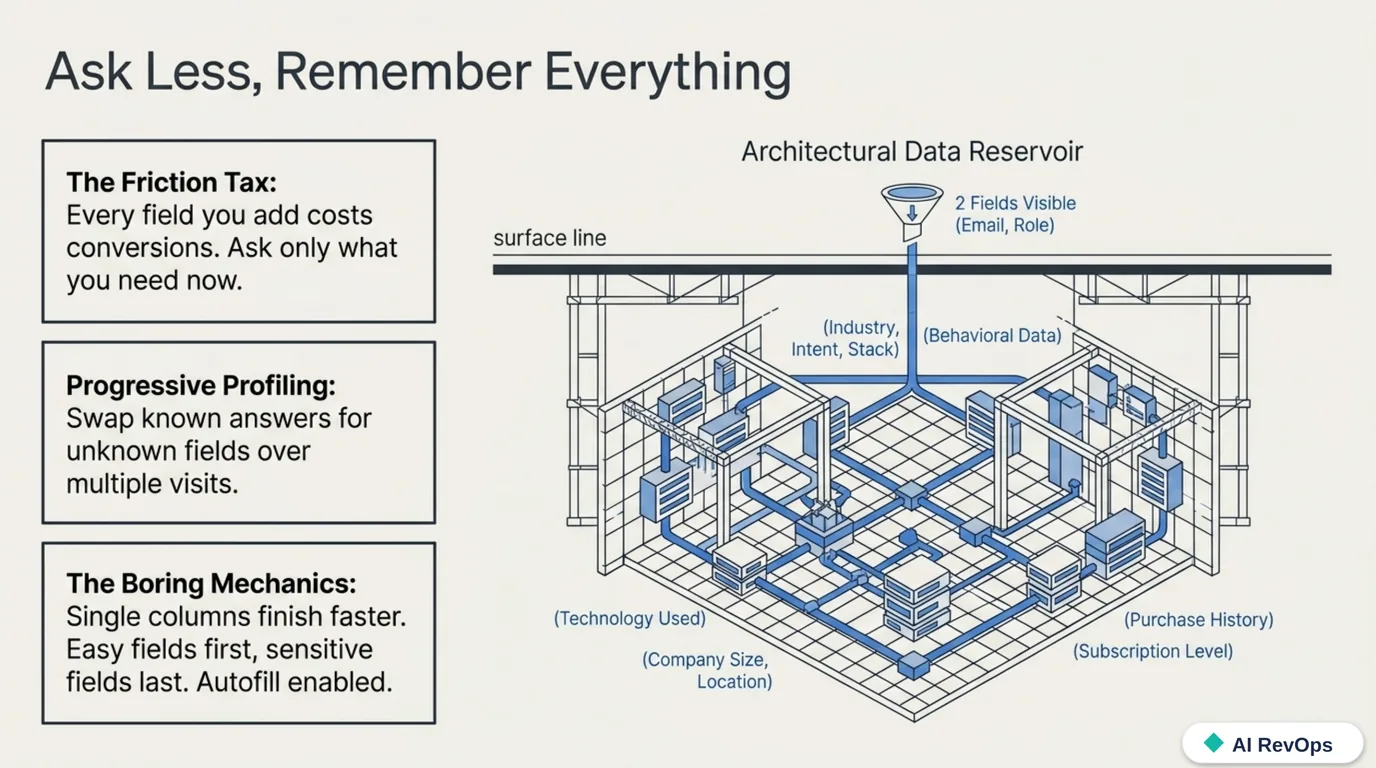
Whatever runs your forms, the mechanics that move conversion are consistent and boring. Single-column layouts finish faster than multi-column ones. Easy fields go first, sensitive or effortful ones last, so any abandonment happens once you’ve already captured something. Autofill should be enabled, not fought. And every field you add costs conversions, which forces the real question: do you need it now?
Usually you don’t, which is what progressive profiling is for. The form recognizes a known contact and swaps questions it already has answers to for the next most valuable unknown. Over three or four visits you assemble a rich profile without ever showing anyone a twelve-field wall. This is the polite version of data collection, where each interaction asks a little and remembers everything, and it’s built into most serious platforms, just rarely turned on.
For calls to action: second-person, verb-first copy (“Get the teardown,” not “Teardowns available”), high contrast, and placement where the reader’s decision actually happens. Keep them short. And give images and buttons real alt text, an accessibility baseline that also happens to be machine-readable context for search and answer engines.
Do this now: Cut one field from your highest-traffic form and turn on progressive profiling for returning visitors. Note today’s conversion rate so you have a baseline in two weeks.
Lesson 4: The nurture engine (event-driven, branched, and allowed to end)
The core of the system is automation that reacts to behavior rather than blasting a calendar. The architecture has four parts.
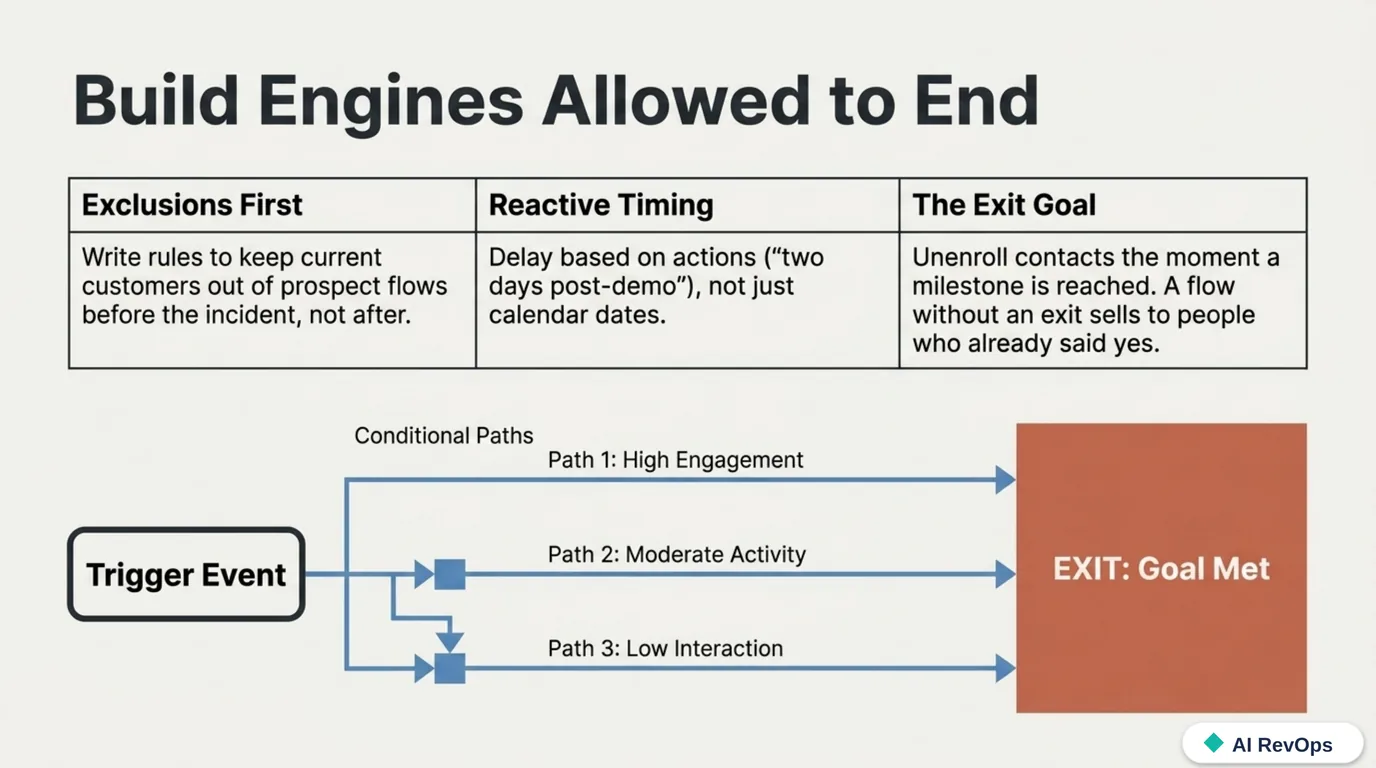
Entry triggers and exclusions. A contact enters a flow because of an event (form submit, trial start, pricing-page visit) or a data condition. Every flow also needs exclusion criteria: current customers out of the prospect sequence, open-deal contacts out of the cold nurture. Exclusions are where most embarrassing automation stories come from; write them first, not after the incident.
Branching. Conditional paths on behavior (clicked, visited, ignored), on data (segment, persona, deal stage, with AND/OR logic), and the underused option, random splits for honest A/B tests of sequence structure, not just subject lines.
Timing. Delays are what separate a nurture from a barrage: fixed-date delays for calendar events, date-property delays for contact-specific anniversaries and renewals, and action-relative delays (“two days after the demo”) for follow-ups. When in doubt, slower. Nobody has ever churned because a vendor emailed too little.
A goal, and an exit. Every flow needs a defined milestone (became an MQL, booked the call, activated) that unenrolls the contact the moment it’s reached. A flow without an exit condition keeps selling to people who already said yes, and it also corrupts your metrics, because you can’t measure a sequence’s conversion rate if contacts who already converted keep receiving it.
The same engine should message your own team: route an alert to the owner when a target account hits the pricing page, open a CRM task when a lead crosses the score threshold. Internal automation is how the handoff between marketing and sales stops depending on someone reading a dashboard. The silo problem is a latency problem, and events beat meetings on latency. Where AI slots into that routing, with a model scoring fit and attaching its reasoning, is the whole of the next lesson.
Do this now: Add an exit goal and written exclusion criteria to one live flow. No flows yet? Build the smallest real one: form submit, two emails three days apart, unenroll on reply or booking.
Lesson 5: The AI automation layer (events, enrichment, and LLM steps)
Everything so far runs inside one platform. This lesson is where the system reaches past it, where “AI automation” stops being a label on a CRM’s feature list and becomes wiring you own. Three ideas carry it: events over polling, a model that does one step instead of running the whole show, and structured output as the contract between them.
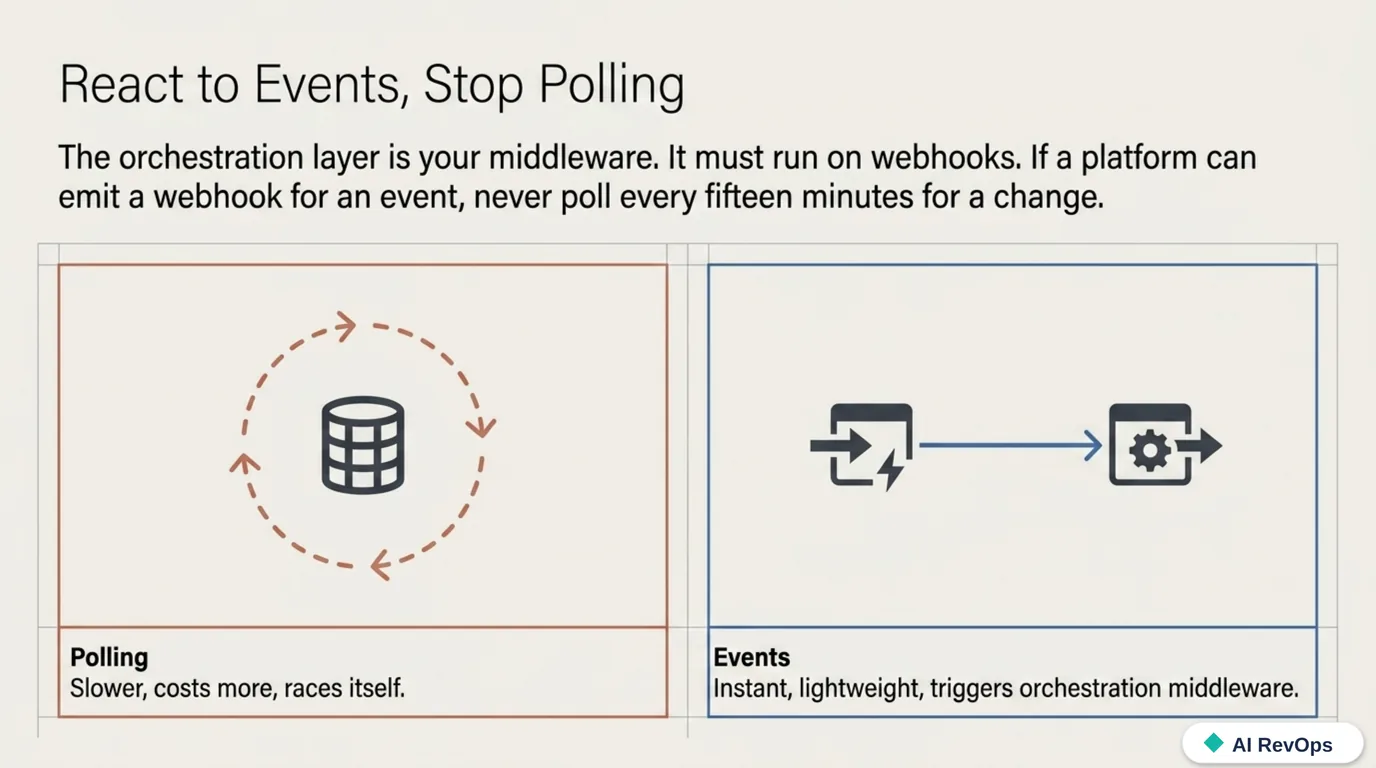
Events, not polling. The orchestration layer is the middleware between your CRM and everything else: enrichment sources, the data warehouse, Slack, the model. It should run on webhooks. A form submits, the CRM fires an event, your flow wakes up and acts within seconds. The lazy alternative, polling every record every fifteen minutes to see what changed, is slower, costs more, and races itself under load. If a platform can emit a webhook for a thing, never poll for that thing. For the glue, n8n or Make cover most cases without code; when volume or logic outgrows them, a queue plus a small serverless function (Python or JavaScript) is the graduation, and that migration is mechanical because the events were already defined.
The model is a step, not the system. The mistake is asking an LLM to “run” the workflow. The durable pattern is a deterministic pipeline with a model call at the one or two points that actually need judgment:
- Enrichment. A lead arrives with an email and nothing else. The flow scrapes the company site, hands the text to a model, and gets back industry, size, and a one-line summary to fill the fields you defined in Lesson 1. (The scrapers we reach for are on the tools page.)
- Scoring and routing. Instead of a static rules tree, a model reads the form answers plus the enriched company data, scores fit against your rubric, and returns a routing decision with its reasoning attached, so a human audits why, not just what.
- Summarization. A call transcript or a long inbound email becomes three structured fields (intent, objection, next step) written straight to the record, ending the reps-don’t-log-activity fight for good.
Structured output is the contract. A model that replies in prose is unusable in a pipeline; a model forced to return JSON matching a fixed schema drops cleanly into fields. Every serious LLM API supports this now. Use it, and validate the result before it writes, because a malformed field is worse than an empty one.
The grit lives in the failure paths, and it’s the part demos skip. Webhooks arrive more than once and out of order, so every handler has to be idempotent, keyed on the event ID rather than on arrival, or one lead gets enriched, scored, and charged for twice. LLM APIs rate-limit and time out, so the call needs exponential backoff, a retry budget, and a dead-letter queue for the ones that still fail. And models are non-deterministic: the same prompt occasionally returns JSON that doesn’t parse or a value outside your allowed set, so the schema validator has to fail closed and fall back instead of writing garbage. None of this is exotic, but it’s the difference between a workflow that survives a Monday-morning traffic spike and one that silently drops leads during it.
Then the part everyone skips even past that: a model step needs a guardrail and a fallback. A rule that breaks throws an error someone notices; a model that quietly drifts keeps writing confident, wrong answers into your database. So every AI step gets a cheap check on a sample of its output, an alert when format or confidence degrades, and a defined fallback (usually “route to a human”) for when it’s unsure. And the discipline from the last lesson holds doubly here: don’t call an LLM where a rule works. The model is for judgment, not for if country == "DE". Reaching for it everywhere is how a five-cent workflow becomes a five-dollar one.
This is the layer the RevOps engineer actually spends their time on: less clicking inside the CRM, more designing and auditing the pipeline around it.
Do this now: Wire one webhook-triggered flow that calls a model on a single inbound lead — enrich it or classify it — and write the structured result back to the CRM with the model’s reasoning saved in a field. Start from the enrichment + scoring JSON schema so the output is validated, not trusted. Watch it run on ten real leads before you trust it on a thousand.
Lesson 6: Omnichannel, without the buzzword
The practical version of “omnichannel” isn’t being everywhere. It’s that a contact’s experience shouldn’t contradict itself across email, social, ads, and your site. Three mechanics carry most of that coherence:
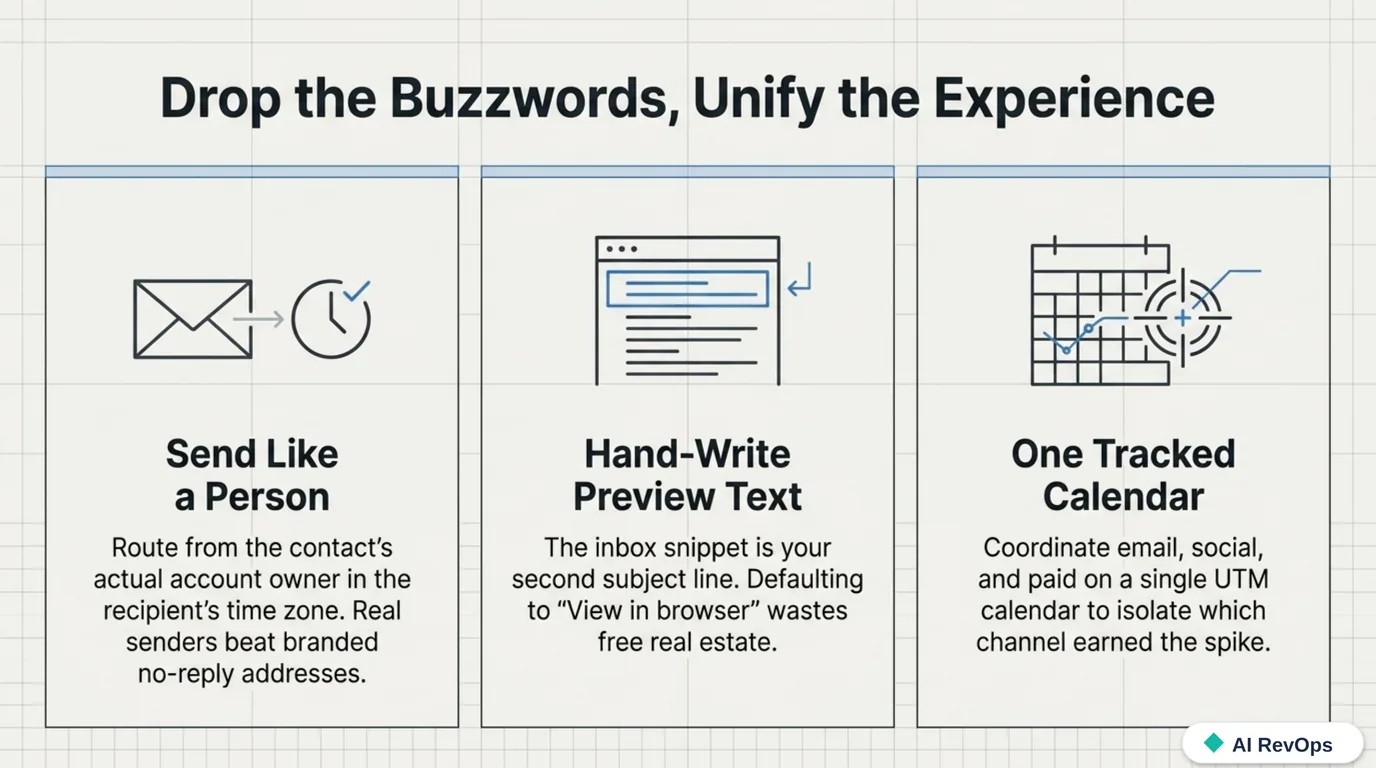
- Make email look like a person sent it. Send from the contact’s actual account owner (their name, their reply-to) and in the recipient’s time zone, not yours. Both are one-time settings, and both beat the branded no-reply for anything past the top of the funnel. Personalization tokens help; a real sender at a sane hour helps more.
- Write the preview text by hand. The inbox snippet is the second subject line, and it’s the last thing a recipient reads before deciding to open. Left to default it leaks “View this email in your browser,” a wasted line of the only real estate you get for free.
- One calendar, tracked links everywhere. Coordinate social and paid on the same calendar as email, with UTM discipline (or a tracking link shortener), so that when a spike shows up you can tell which channel earned it. That attribution is what feeds the model in the next lesson.
Do this now: Switch your next send to the contact owner’s name and the recipient’s time zone, and write the preview text by hand instead of letting it default.
Lesson 7: Measurement (revenue in, vanity out)
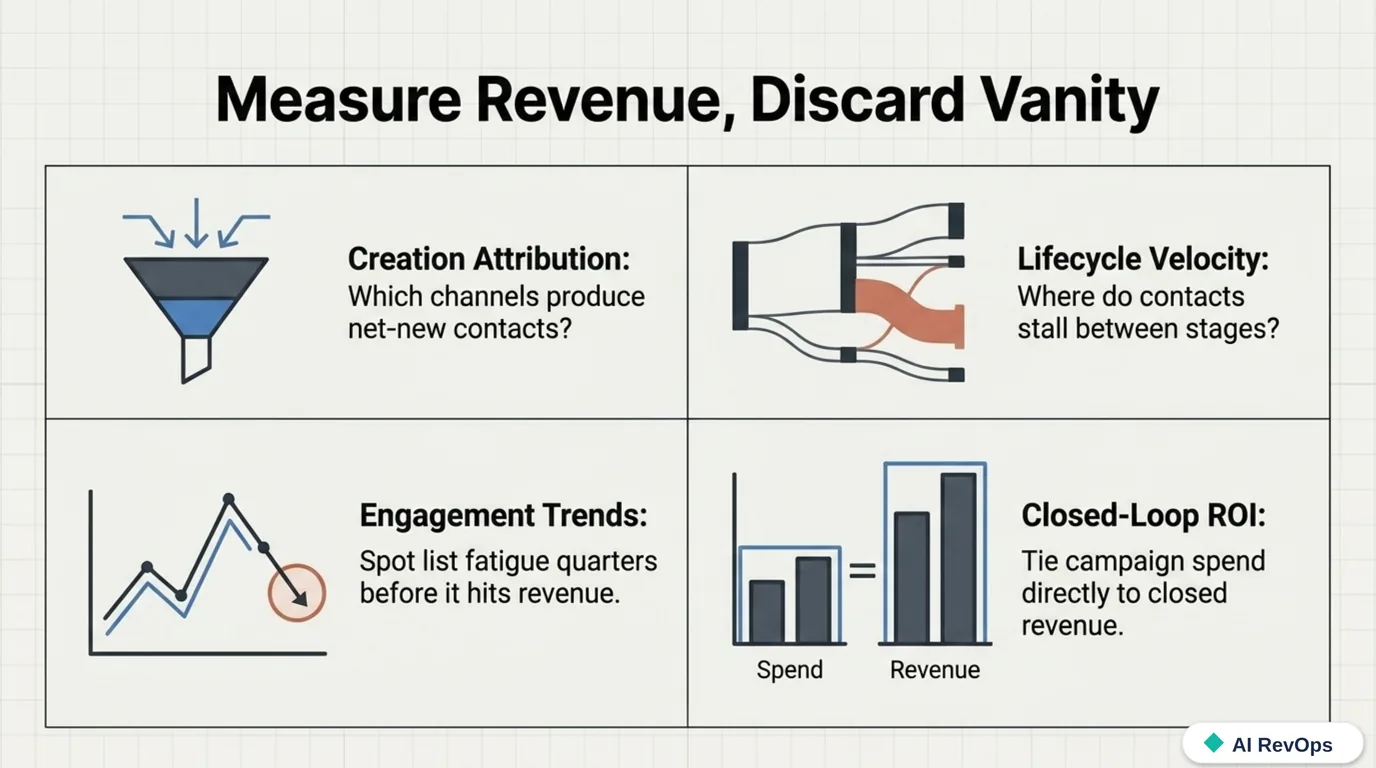
The reporting layer exists to answer one question, “what should we do more of?”, which vanity metrics (opens, impressions, follower counts) can’t answer. Four views can:
- Creation attribution: which assets and channels produce new contacts, so you know what’s filling the top.
- Lifecycle velocity: how fast contacts move between defined stages, and where they stall. Journey visualizations (Sankey-style flows through your stages) make the stall points impossible to ignore.
- Engagement trends over time, as an early-warning system: list fatigue shows up here quarters before it shows up in revenue.
- Closed-loop ROI: campaign spend against closed revenue, which requires the CRM-to-marketing wiring from Lesson 1 to exist at all.
This is also where the definitions problem bites hardest. If marketing and sales count stages differently, every number above is contested and the meeting is about the numbers instead of the business. That’s the fourth of the six RevOps mistakes, and the one AI actively worsens if you point a fluent model at inconsistent data.
Pick an attribution model and know how it lies. First-touch attribution overcredits the top of the funnel; last-touch overcredits the bottom; both are single-touch fictions that ignore everything in between. Multi-touch models spread the credit: linear gives every touch equal weight, time-decay weights recent touches heavier, and position-based (the W and U shapes) credits the first and last touch plus the milestones between. None of them is “true”; each encodes an assumption about what actually moves a deal. Choose the one whose bias you can defend out loud, apply it consistently, and never switch models to make a channel look better. That’s the attribution version of the definitions problem.
Reconcile the clocks, not just the definitions. In a real stack, numbers also disagree because of when they were measured. A dashboard reading the CRM in real time and one reading the warehouse on a nightly sync will never match intraday, and an attribution report built on webhooks that arrive out of order keeps shifting as late events land. That’s not a bug to fix so much as a reality to label. Name one source of truth for each question (real-time CRM for “what’s happening now,” the warehouse for “what closed last quarter”), stamp every report with its as-of time, and stop expecting two systems on different refresh cycles to agree to the dollar.
Do this now: Stand up the four reports and show each number to both sales and marketing. Every disagreement you hear is a definition to fix in Lesson 1’s document.
Lesson 8: Keeping automated content human
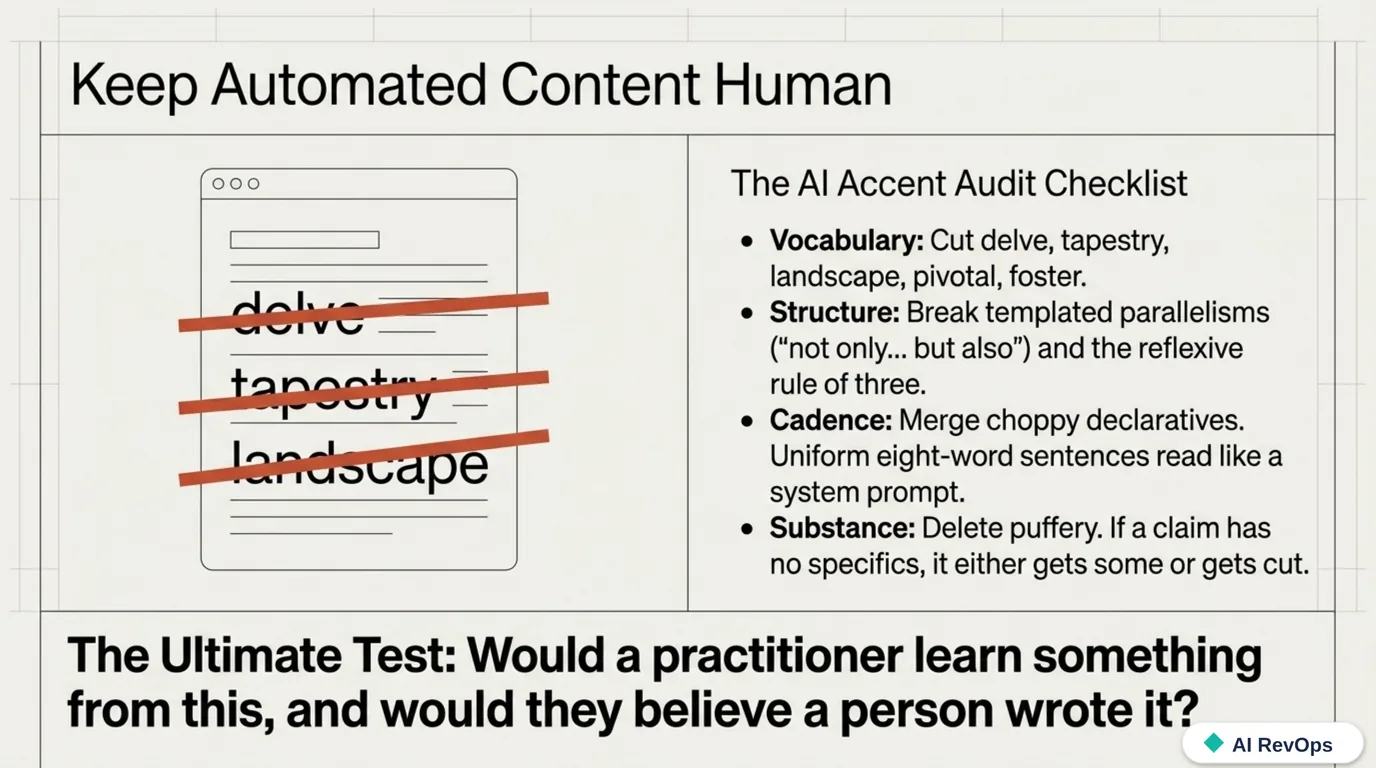
If LLMs write any part of your pipeline’s content (and in 2026 they almost certainly write some), you need an editing standard, because model output has a recognizable accent and readers have learned to hear it. Wikipedia’s editors keep a running catalog of the tells (Signs of AI writing) that works well as an audit checklist:
- Vocabulary: cut the words models overuse (delve, tapestry, landscape, pivotal, testament, underscore, vibrant, foster, showcase, bolster, garner, crucial, vital) and “serves as” constructions where is would do.
- Punctuation: watch the em-dash. Models reach for it constantly, so a page that leans on it reads as machine-written even when nothing else gives it away. Semicolons, periods, and plain commas carry most of the same work.
- Structure: break templated parallelisms (“not only… but also,” “it’s not just X, it’s Y”) and the reflexive rule of three. Humans write lists of two and four all the time; models almost never do.
- Cadence: merge the choppy declaratives. A paragraph of uniform eight-word sentences reads like a system prompt, not a person.
- Substance: delete puffery (“in today’s fast-paced digital era”) and any sentence that summarizes the section it’s in. If a claim has no specifics, it either gets some or gets cut.
The test that matters: would a practitioner learn something from this paragraph, and would they believe a person wrote it? Content that fails either test costs trust, and trust is the asset the whole nurture engine exists to build. Automating your content pipeline without an editing standard is the content version of automating a broken process: you get more, faster, of the thing that wasn’t working.
Do this now: Run your last automated email through the checklist above. If it fails the vocabulary or cadence test, rewrite it, and keep the before/after as the start of a house style guide.
What you have when you’re done
If you did each exercise, you now hold, concretely: a one-page definitions document both teams agreed to; a CRM with people and companies separated and one dedupe pass behind you; a dynamic lifecycle segment and suppression lists (and possibly a smaller contact bill); a leaner form with progressive profiling and a conversion baseline; at least one nurture flow with exclusions and an exit goal; one webhook-triggered AI step that enriches or scores a lead and logs its reasoning; sends attributed to owners in the recipient’s time zone; four reports both sales and marketing accept, each stamped with its source and as-of time; and the first page of a house style guide for automated content. That set, not any tool, is the automation system.
Treat this course as a living document: revisit it when the stack changes, when the sales motion changes, and at the quarterly data review. The order is the part that doesn’t change: the data model first, then the segments, capture, and flows built on top of it, then the AI execution layer and the measurement that proves any of it worked. Tools will come and go through every one of those layers, and if the architecture is yours rather than the vendor’s, that stops being a crisis and becomes a procurement decision. For where the tooling layer is heading, see the future of RevOps; for the extraction and enrichment tools we plug into stacks like this, the tools page stays current.